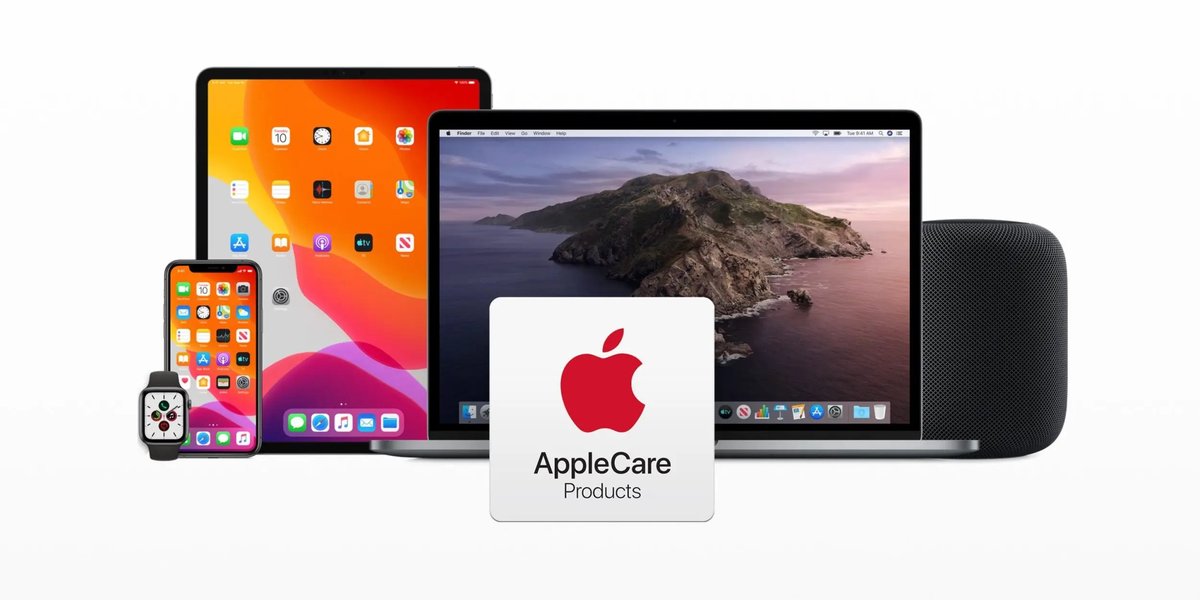
AppleCare+ often gets pitched as the ultimate safety net for your beloved Apple devices, promising peace of mind against the inevitable bumps and drops of daily life. But peel back the glossy marketing, and you'll find that this extended warranty isn't a one-size-fits-all solution. Like any insurance product, it comes with its own set of drawbacks, limitations, and hidden costs that savvy consumers need to understand before committing their hard-earned cash.
This isn't about telling you AppleCare+ is bad; it's about empowering you with the full picture. Because while it offers undeniable benefits, failing to grasp its nuances can lead to disappointment, unexpected expenses, or simply paying for coverage you don't truly need.
At a Glance: Key Considerations Before Buying AppleCare+
- It's Not Truly "Free" Repairs: Accidental damage incurs service fees (deductibles), which can add up.
- Incident Limits Exist: You're usually limited to two accidental damage incidents per 12 months.
- Not All Damage is Covered: Cosmetic dents, intentional misuse, and unauthorized repairs are out. Lost AirPods aren't covered either.
- Theft & Loss is Extra (and Limited): This popular feature costs more and typically requires "Find My" to be active for replacement.
- Cost vs. Device Value: For some devices (e.g., Apple TV), the cost of AppleCare+ might outweigh the potential repair savings.
- Coverage Expires: Even AppleCare+ has an end date, meaning your device will eventually be unprotected.
- AppleCare One Has Restrictions: While appealing, the multi-device plan is currently US-only and has specific device eligibility rules.
Beyond the Brochure: The Realities of AppleCare+ Coverage
AppleCare+ extends the standard one-year warranty and 90 days of technical support to include accidental damage and longer technical support. Sounds great, right? But the devil, as always, is in the details. While it covers critical issues like battery health dropping below 80% and offers priority tech support, the "accidental damage" aspect is where many consumers hit their first unexpected limitation.
The Price Tag: Is It Always Worth the Premium?
One of the most immediate drawbacks for many is the upfront or ongoing cost. AppleCare+ isn't cheap, and its pricing varies significantly by device and whether you opt for a monthly payment or an upfront multi-year plan. For instance, a MacBook Pro's AppleCare+ can run from $9.99 to $14.99 per month, or $99.99 to $149.99 per year. An iPhone 16 Pro Max with Theft & Loss could be $13.99/month.
Consider a device like an Apple Watch. While it's certainly prone to bumps, is $2.49–$4.99/month or $24.99–$49.99/year always a sound investment, especially for older models or those who aren't particularly active? For some lower-cost devices, the total cost of AppleCare+ over its lifespan can come surprisingly close to, or even exceed, a single repair out of pocket, especially if you're not prone to accidents. You're effectively paying for insurance you might never fully utilize.
Accidental Damage: A Closer Look at Deductibles and Limits
The biggest draw of AppleCare+ is its accidental damage coverage. However, it's crucial to understand that "accidental damage" doesn't mean "free repairs." Each incident comes with a service fee (essentially a deductible), which adds a significant "hidden cost" to the initial AppleCare+ premium.
For example, an iPhone screen repair might cost $29 with AppleCare+, while a screen and back glass repair is $58. Other damage, including water damage, costs $99. While these are substantially lower than out-of-warranty repair prices (which can easily run into hundreds of dollars for a new screen or device), they are still additional expenses on top of your AppleCare+ subscription.
Furthermore, accidental damage coverage typically has limitations. For most devices, you're limited to two incidents of accidental damage coverage per 12 months. If you're particularly clumsy or unlucky, you could exhaust your incidents well before your coverage period ends, leaving you fully exposed to out-of-warranty repair costs for any subsequent damage. This restriction is a significant limitation for users who genuinely rely on the accidental damage protection.
What AppleCare+ Won't Fix: Unpacking the Exclusions
It's easy to assume AppleCare+ covers everything under the sun, but that's simply not the case. There are clear exclusions that can leave you in a lurch:
- Cosmetic Damage: Scratches, dents, and discoloration that don't affect the device's functionality are generally not covered. So, if your iPhone looks like it lost a fight with a gravel road but still works perfectly, AppleCare+ won't help you with its appearance.
- Unauthorized Repairs: If you or a third-party repair shop attempts to fix your device without Apple's authorization, any resulting damage or even pre-existing issues might void your AppleCare+ coverage.
- Intentional Misuse or Abuse: Dropping your iPhone off a building or running over your MacBook with a car intentionally won't be covered. This is standard for most insurance policies, but it's an important clarification.
- Device Accessories: Unless an accessory itself is defective and covered under a separate warranty, AppleCare+ for your main device doesn't extend to its peripherals. Lost AirPods, for instance, are not covered. This means if your AirPods go missing, you'll need to buy a replacement set or individual buds at full price.
- Theft (Without Theft & Loss): Standard AppleCare+ does not cover theft or loss. This is a common misconception, and it leads us to another key limitation.
The Catch with Theft & Loss: Understanding the Fine Print
For iPhones, Apple offers an optional AppleCare+ with Theft and Loss plan. This is a separate, more expensive tier of coverage. While valuable, it also comes with its own set of caveats:
- Increased Cost: You'll pay a higher monthly or upfront premium for this added protection.
- Deductible for Replacement: Even with Theft and Loss, replacing a stolen or lost iPhone isn't free. There's a significant service fee, often around $149, for the replacement device.
- "Find My" Requirement: Crucially, your device must have "Find My" enabled at the time of loss or theft, and you must erase the device before a replacement can be issued. If "Find My" wasn't active, or if you can't erase it remotely, you might be out of luck, even with the enhanced plan. This is a critical functional limitation.
- Incident Limits: Like accidental damage, Theft and Loss coverage is typically limited to two incidents per 12 months.
While AppleCare One (more on that next) extends Theft and Loss to iPad and Apple Watch, the core limitations remain. It’s a powerful feature, but one that demands careful attention to its terms and conditions to avoid disappointment.
AppleCare One: The Multi-Device Maze
Introduced in July 2025, AppleCare One is an intriguing concept: a subscription plan covering multiple Apple devices under a single umbrella. Starting at $19.99/month for three products, it includes all AppleCare+ benefits and uniquely offers theft and loss for iPad and Apple Watch in addition to iPhone. It can even save you money compared to separate plans for multiple devices, potentially up to $11/month for an iPhone, iPad, and Apple Watch combination.
However, AppleCare One introduces its own set of limitations and potential drawbacks:
- Geographic Restriction: Currently, it's limited to the United States. International users can't take advantage of it.
- Complexity of Eligibility: While you can add devices up to four years old, they must be in "good condition." What constitutes "good condition" can be subjective and may require an inspection, adding a hurdle to enrollment.
- Not Always a Savings: While it can save money for households with a specific number and type of devices, it's not universally cheaper. If you only have two devices, or devices with very low individual AppleCare+ costs, AppleCare One might actually be more expensive than separate plans. For example, if you have an iPhone and an Apple TV, the base $19.99/month for three devices could be overkill.
- All-or-Nothing Approach: You're subscribing to a bundle. If your needs change or you sell a device, managing the subscription and ensuring it still makes financial sense can become more complicated than individual plans.
For the right household, AppleCare One is a boon. But for others, its restrictions and bundled nature might be more of a limitation than a benefit.
Beyond the Obvious: Other Hidden Limitations
It's not just about what's explicitly excluded; sometimes, the practicalities of using AppleCare+ can present their own set of drawbacks.
Timelines and Logistics: Convenience vs. Commitment
While AppleCare+ can be purchased at the time of device acquisition or within a specific window (e.g., 60 days for iPhone/iPad/Apple Watch, up to 1 year for Macs), missing that window means you're out of luck. This limited purchase timeframe can be a drawback if you need more time to decide or if you only realize its value after the initial period.
Even with AppleCare+, the repair process, while often swift, still requires you to bring your device to an Apple Store or authorized service provider. Depending on your location, this might mean a significant drive or mailing your device, leading to downtime. While international repairs are generally covered, the options might be limited compared to your home country.
The "Overkill" Factor: When AppleCare+ Is Unnecessary
For some devices or user profiles, AppleCare+ might simply be an unnecessary expense.
- Low-Risk Devices: Do you really need AppleCare+ for an Apple TV or HomePod? These devices rarely leave your home, aren't subject to the same wear and tear as a phone or laptop, and their repair or replacement costs are often a smaller fraction of the AppleCare+ premium. The likelihood of accidental damage is significantly lower.
- Careful Users: If you're meticulous with your devices, always use cases, and have never broken a screen in your life, the probability of you needing accidental damage coverage is slim. Paying monthly or yearly for a "just in case" scenario that rarely materializes might not be the most financially prudent choice.
- Software Issues: AppleCare+ covers hardware defects and offers priority technical support. It does not cover common software problems, which are often solvable with a quick search online or a visit to Apple's support pages. If your primary concern is software glitches, AppleCare+ won't be your magic bullet.
For a deeper dive into whether the investment makes sense for you, you might find our guide, "Is the AppleCare worth it", particularly insightful.
Alternative Paths: Exploring Beyond AppleCare+
The limitations of AppleCare+ don't mean you're without options for protecting your devices. Many consumers overlook alternative forms of coverage that might better suit their needs or offer broader protection.
- Credit Card Extended Warranties: Many premium credit cards offer extended warranty benefits that automatically add an extra year (or more) to a manufacturer's warranty on eligible purchases, often covering defects but not accidental damage. Check your card benefits.
- Homeowner's or Renter's Insurance: Your existing property insurance policy might cover theft or damage to your electronics, though deductibles can be higher, and making a claim could impact your premiums. This is worth exploring for expensive devices like Macs.
- Third-Party Insurance Providers: Companies specializing in gadget insurance often offer competitive rates and sometimes broader coverage, including loss or theft, for multiple devices under one plan. These can be particularly appealing if you have non-Apple devices you also want to protect.
- Cell Phone Carrier Insurance: Mobile carriers like AT&T, Verizon, or T-Mobile offer their own device protection plans, which often cover accidental damage, loss, and theft. However, these plans also have their own deductibles and limitations, so compare them carefully with AppleCare+.
Exploring these alternatives can help you identify a protection plan that addresses the specific drawbacks of AppleCare+ that concern you most, or simply offers better value for your individual circumstances.
Making the Smart Call: When to Skip AppleCare+
Understanding the drawbacks, limitations, and hidden costs of AppleCare+ isn't about dismissing it entirely. It's about making an informed decision that aligns with your budget, habits, and risk tolerance. Here's a quick guide to help you decide when AppleCare+ might not be the best choice:
- You're on a Tight Budget: If the premium or the potential deductibles stretch your finances, consider if you can afford to self-insure or explore cheaper alternatives.
- You're Exceptionally Careful: If you've never broken a device and always use protective gear, your risk of accidental damage is low, making the "insurance" aspect less valuable.
- You're Replacing Devices Frequently: If you upgrade your iPhone every year or two, you might not fully utilize the multi-year coverage of AppleCare+.
- You Own Low-Risk Devices: For Apple TVs, HomePods, or even older, less expensive iPads, the cost of AppleCare+ might be disproportionately high compared to the device's value or the likelihood of damage.
- You Have Robust Alternative Coverage: If your credit card, homeowner's insurance, or another third-party plan already provides adequate protection against the risks you're most concerned about, AppleCare+ might be redundant.
The Bottom Line: Navigating Your Apple Protection
AppleCare+ offers a valuable layer of protection and peace of mind for many, particularly for expensive, high-use devices like MacBook Pros or iPhones that are prone to accidental damage. The ability to get official Apple-certified repairs and priority technical support is a significant benefit.
However, it's far from a perfect, all-encompassing solution. The service fees, incident limits, specific exclusions, and the tiered cost of optional features like Theft & Loss are important drawbacks and hidden costs to consider. By understanding these limitations, you can avoid unexpected expenses and confidently decide whether AppleCare+ truly fits your needs, or if another protection strategy would serve you better. Don't just buy it because it's offered; buy it because you've weighed the pros and cons and found it to be the right fit for you.